

Email Data Security
Mail is how it actually leaves
Not through a breach. Through an attachment to a personal address, or a link that went out set to Anyone and stayed that way. Cyflow classifies outgoing mail, narrows the links already sent, and sets the tenant posture that produced them.
Three ways out
The same message, three different risks
Outgoing mail is the one channel where somebody deliberately sends data outside the organization. The question is never whether it left — it is what left, to whom, and how open it still is.
Sensitive attachments going external
A contract or a payroll export heading to a domain you do not run. Often that is the job; the point is knowing which ones, and being able to say so afterwards.
Work data to personal addresses
An attachment sent to a personal gmail.com or outlook.com address looks identical on the way out to one sent to a customer. It is the one that has left your control completely.
Links that went out open
An attachment shared as a link inherits whatever sharing the file already had. Anyone-with-the-link content sent to one person stays reachable by everyone that link reaches, indefinitely.
What Cyflow does
Classify, pull it back, close the source
Coverage is the outgoing direction — where tenant data leaves. Remediation works on the sharing behind a message rather than on the message itself, because that is the part still changeable after send.
01
Classify what went out
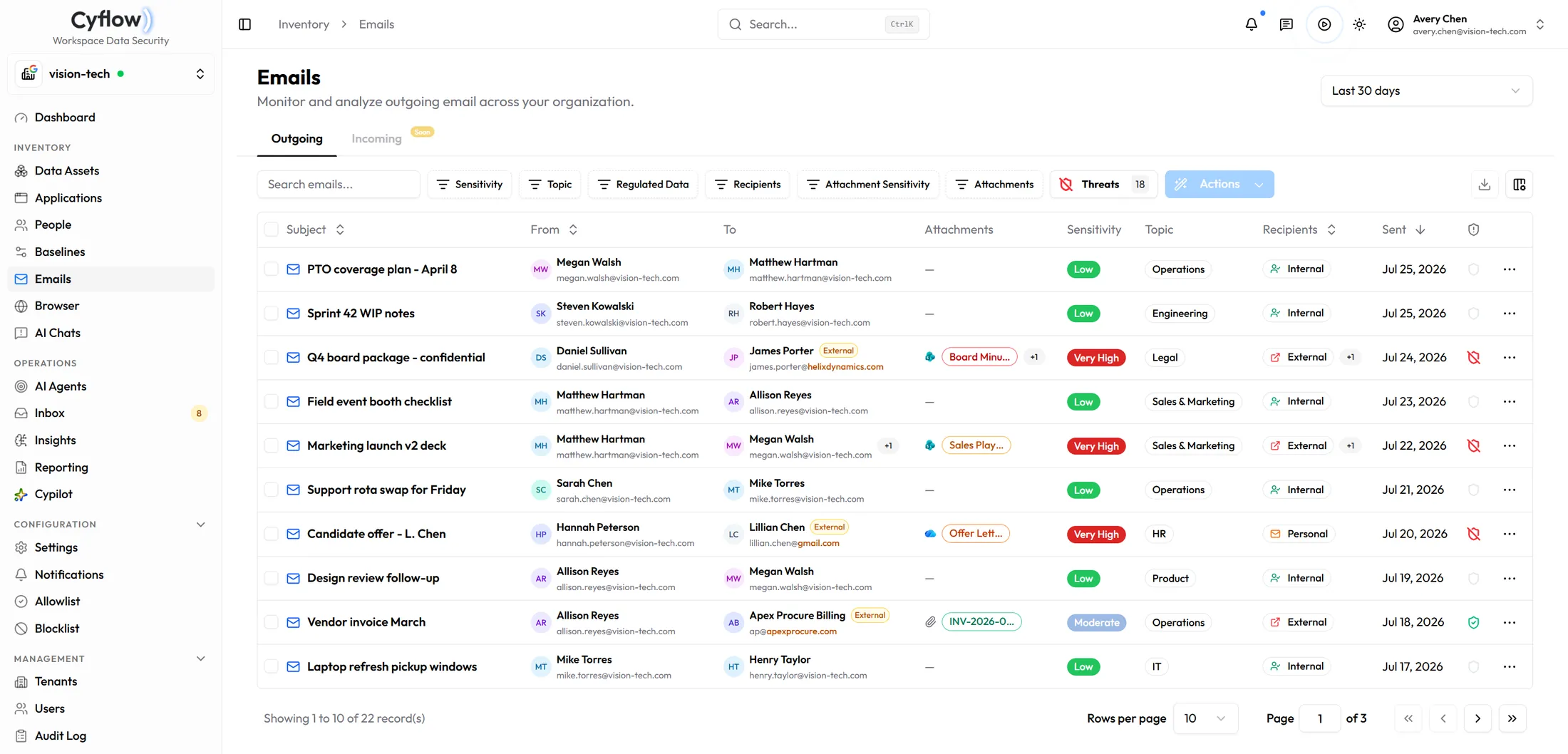
Outgoing messages carry sender, recipients, attachments, sensitivity and topic, with external recipients marked. Agents raise the patterns worth acting on — sensitive attachments leaving the organization, sensitive mail reaching personal addresses.
02
Remediate the link, not the message
Where content went as a link, remediation strips the Anyone and organization-wide permissions from the file and invites the named recipients instead. The person who was meant to read it still can; nobody else gains anything.
03
Set the posture behind it
Secure Share holds the Microsoft tenant controls that decide how attachments are shared in the first place — whether Outlook turns attachments into OneDrive links, and whether SharePoint file-request links are available. Desired state against live state, applicable across managed Microsoft tenants at once.
Scope and mechanics
What it inventories, and what it changes.
Does this read employees' mail?
It inventories outgoing messages for what the controls need: sender, recipients, attachments, sensitivity and topic. The purpose is finding sensitive content on its way out, not reading correspondence.
Does it cover incoming mail?
No. Cyflow covers the outgoing direction, which is where tenant data leaves. Inbound threat protection is a different control and a different category of product.
What exactly does link remediation change?
It removes the Anyone and organization-wide permissions from the shared file and grants access to the named recipients instead. The intended reader keeps access; the open path closes.
What does Secure Share cover?
The Microsoft tenant sharing posture behind attachments: Outlook to OneDrive attachment links, and SharePoint file-request links. It is a capability inside email data security rather than a separate product, and it applies to Microsoft tenants.
Can this run across all of our tenants?
Yes. Secure Share settings can be applied to the managed Microsoft tenants you select, and the outgoing inventory and its agents run per tenant with shared presets.
Look at what left
Sensitive email you have already sent out
Book a demo and we will walk outgoing mail — the classification, a link pulled back, and the Secure Share settings behind it.