

AI Exposure
AI exposure is access grants that already exist
Every OAuth consent, every Anyone link, and every extension install added another path into the same data — long before an assistant arrived to read it. Many of those grants and shares are misconfigured. Cyflow inventories those paths and shows what an assistant could reach in a tenant today.
Where it comes from
Six paths into the same data
Exposure is not one setting. It is the sum of the permissions, grants, links and configuration already in place, and each one is a route an assistant can follow.
Copilot's answer surface
Copilot answers with whatever the person asking can already reach. A file left "Shared with Organization" is now reachable by every employee through a prompt — M&A drafts, payroll and salary data, signed agreements — and one Anyone link puts the same content in front of external parties. Its transcripts become a running record of what the tenant exposes, inside and out.
Connected AI apps
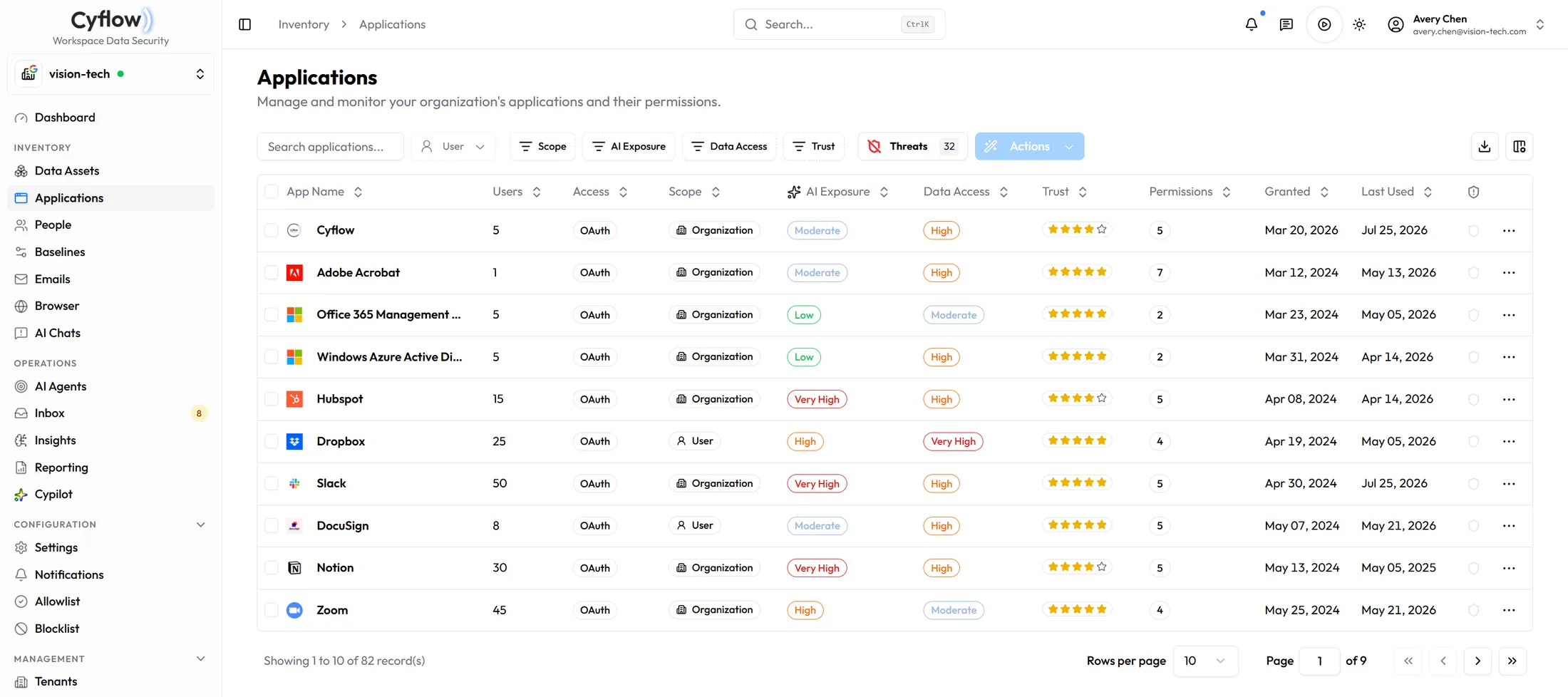
An OAuth grant carrying organization-wide delegated scope reads mail, files or calendars for everyone it covers, with no further prompt to anyone.
People and blast radius
Access belongs to people. How far one account's exposure spreads — through groups, permissions and external contacts — is the shape of the risk behind it.
Mail and open links
An attachment to a personal address looks the same on the way out as one to a customer, and a file-request link stays open until somebody closes it.
Browser AI tools
AI assistant extensions run in Chrome and Edge with permission to read page contents. A contract pasted into one is a copy outside the tenant.
Configuration drift
Anonymous sharing gets re-enabled and Copilot content-discovery restrictions get switched off, widening the surface without anyone deciding to widen it.
The assessment
Measure it, then close it
The AI Readiness Assessment is the front door. It runs on the tenant you already have, and the report is yours whether or not anything follows it.
01
Connect and inventory
An admin consent connects the tenant. Cyflow inventories files across OneDrive, SharePoint and Drive, people, OAuth grants, Copilot conversations, browser activity, emails and configuration — read scopes only at this stage.
02
Quantify what AI can reach
Sensitivity and sharing state land on every asset, each grant is scored on AI exposure and data access, and every person carries the blast radius their access creates. The AI Readiness Report collects it into a deliverable you can hand over.
03
Remediate backwards
Narrow the links in OneDrive, SharePoint, Drive and Email that should never have been open, revoke the grants that fail review, and correct the drifted baselines — then leave agents watching so the position holds.
Scoping the assessment
What an exposure assessment covers.
Do we need Copilot licensed before this is useful?
No. The exposure exists before any assistant is switched on, because it comes from permissions, sharing and consent that already exist in the tenant — often misconfigured. Conversation-level classification does need Microsoft 365 Copilot in use; everything else does not.
Is the readiness score a certification?
No. It is an assessment of what AI can reach in the tenant and what to fix first. It is not a certification, an audit opinion, or a compliance attestation.
Does this cover Google Workspace?
Drive, Shared Drives, Gmail and the directory are covered through domain-wide delegation. Conversation-level classification for Google Gemini and Claude Enterprise works the same way as Microsoft 365 Copilot when those assistants are in use.
What does the report actually contain?
The paths AI can follow into sensitive data, scored and ranked: overshared assets in applications by sensitivity, OAuth grants by AI exposure and data access, people by blast radius, and configuration drift against baseline. It exports as a PDF and can carry your own logo.
What happens after the assessment?
Remediation closes what the report found, and governance keeps it closed — Copilot conversation monitoring, Shadow AI review, and agents watching for new oversharing and baseline drift.
Start with the map
Find the exposure before an assistant does
Run the assessment against the tenant and keep the report. If it turns into a rollout, the same console governs what comes next.